
Video management
Milestone XProtect
Bring camera and VMS context into eyeOT so a device issue can be investigated alongside the network and infrastructure supporting it.
Camera and recording health
Integrations
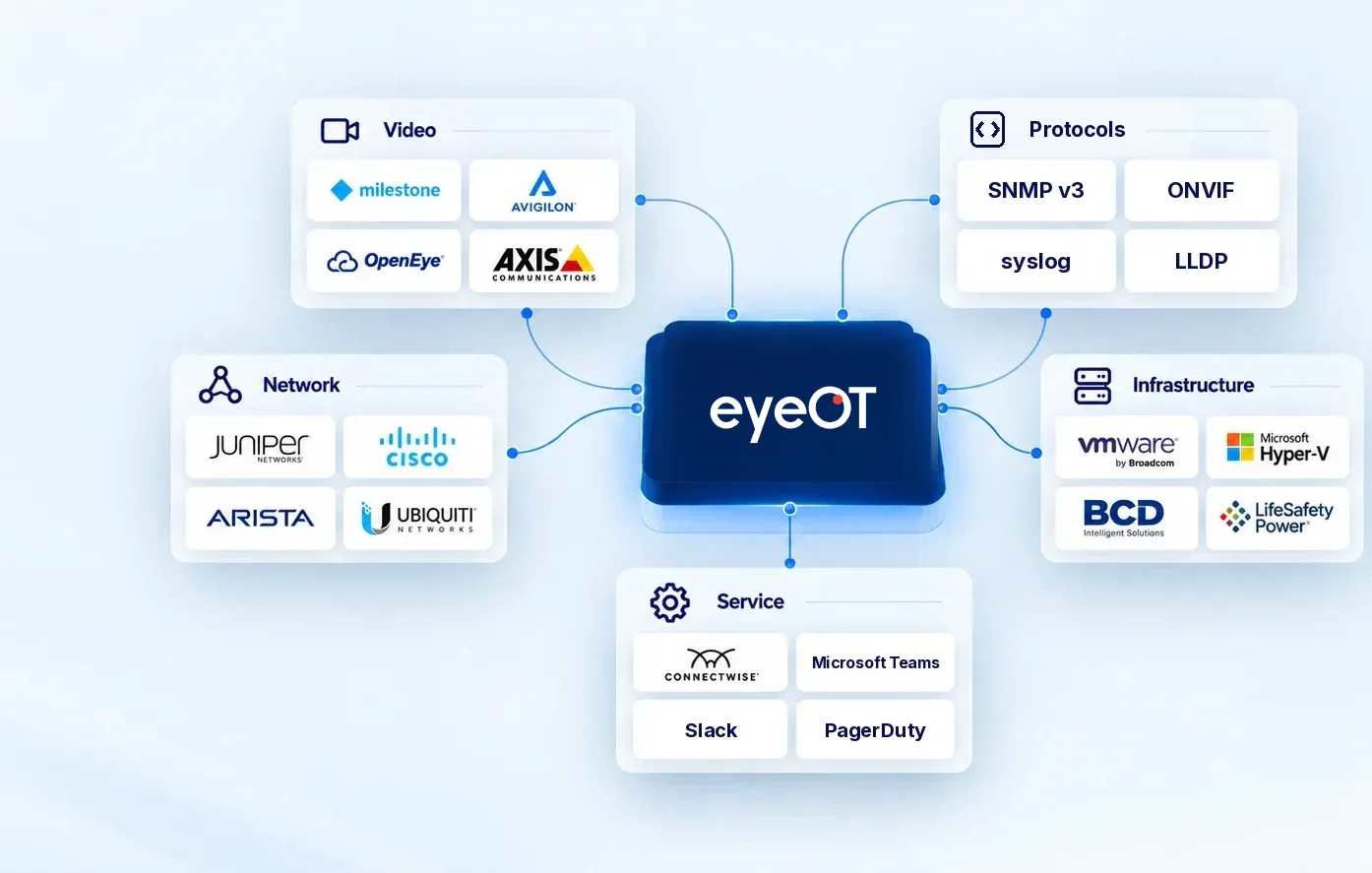
eyeOT connects with the video management, virtualization, server, power, service and identity software already running your environment, so your team can see more without replacing the tools that already do their jobs.
Looking for cameras, switches or servers? See supported devices
Built for mixed environments
eyeOT is designed around mixed infrastructure, with support for a growing list of video, network, infrastructure, power and service systems. The goal is not to force every environment into one ecosystem. It is to connect the systems that matter to the operational workflow.
Featured connections
These examples show the range of connection types eyeOT supports. The full directory below gives you the rest of the current integration and protocol coverage.
Bring camera and VMS context into eyeOT so a device issue can be investigated alongside the network and infrastructure supporting it.

Bring Axis camera and recording health into eyeOT, and reboot a supported Axis camera remotely when it stops responding.

Bring Avigilon Control Center and Unity context into eyeOT so video issues can be investigated alongside the network and infrastructure supporting them.
Pull supported switches and wireless bridge context into eyeOT, including topology information and the switch ports connected to cameras.
Bring BCD video servers and storage into the same operational view as the cameras, network and applications that depend on them.

eyeOT can open an incident, and resolving the associated issue in eyeOT closes it in ConnectWise, keeping the service workflow connected.
Integration directory
Search by product or narrow the list by system type. Looking for hardware like cameras, switches or servers? See Supported Devices.
Camera health and recording checks, plus remote reboots for supported Axis cameras.
VMSCamera and recording health from XProtect, shown alongside the network behind each camera.
VMSRecording and retention checks through Avigilon Control Center and Unity.
VMSCamera reboots and recording checks for Hanwha Vision cameras through Wisenet VMS.
VMSCamera and recording context from OpenEye, alongside the network and servers behind it.
VMSSwitch and wireless bridge context from UniFi Cloud, including topology and the switch ports cameras plug into.
Network visibilityNetwork device context from Ruckus One.
NetworkAgentless virtual machine visibility, plus VM power actions from eyeOT.
VirtualizationAgentless virtual machine visibility, plus VM power actions from eyeOT.
VirtualizationServer hardware health through WMI and Redfish, including Dell iDRAC and HPE iLO.
Server healthPower supply monitoring for supported LifeSafety Power systems.
Power monitoringeyeOT can open an incident, and resolving the associated issue in eyeOT closes it in ConnectWise.
BidirectionalSend eyeOT alerts to email, webhooks, Slack, Microsoft Teams and PagerDuty.
AlertsSingle sign-on for your team with Microsoft Entra ID.
IdentityHealth and availability data from switches, UPSs and other IP devices.
ProtocolDevice logs collected alongside alerts for more context on an event.
ProtocolDiscovery and status for ONVIF-compliant cameras.
ProtocolNeighbor data used to map how devices connect to each other and to switch ports.
ProtocolUse supported APIs where a connected workflow needs to extend beyond the standard integrations listed here.
APIDon’t see your system?
Share the product, deployment and workflow you are trying to support. We will tell you what is available today and what may be possible.
Contact UsCommon questions
No. eyeOT is designed to work alongside supported systems and bring their operational context together.
Integrations covers the software eyeOT connects with, such as VMS platforms, virtualization, service management, alerting, identity and open protocols. Supported Devices covers hardware, such as cameras, switches, radios, servers and power supplies. Some brands appear on both: eyeOT monitors Hanwha Vision cameras as devices and connects to Wisenet VMS as an integration.
It depends on the system. Scope varies by integration and may include camera and recording health, device health, topology, virtual machine visibility, power supply status or service workflow actions.
Check this directory for software and Supported Devices for hardware. If your version or deployment model is not clear, contact eyeOT before implementation.
Yes, where the integration supports it. ConnectWise PSA is one example: eyeOT can open an incident and close the associated ticket when the issue is resolved in eyeOT. Alerts can also go to email, webhooks, Slack, Microsoft Teams and PagerDuty.
Tell the eyeOT team what system and workflow you need. The right question is what needs to connect and what operational result you need from that connection.
We will show you where eyeOT fits with the systems already in your environment and what those connections can add to your operational picture.