A door controller drops offline overnight.
You hear about it from the first person who can’t badge in.
Physical Security Operations
Doors, intercoms, video, power, network and servers run as one system. eyeOT shows you what you have, how it connects and what needs attention, then lets your team fix it remotely.

 2026 SIA NPS Award WinnerRecognized at ISC West
The problem
The team hears about a problem only after it’s been reported, and by then a technician usually has to go on site to figure out what happened.
You hear about it from the first person who can’t badge in.
Twelve tickets open, and nobody can see they share a cause.
Nobody knows until the footage is needed.
Nobody notices the gap until an audit or an investigation.
What we cover
Click any part of the system to see what eyeOT does with it today and which platforms it works with.
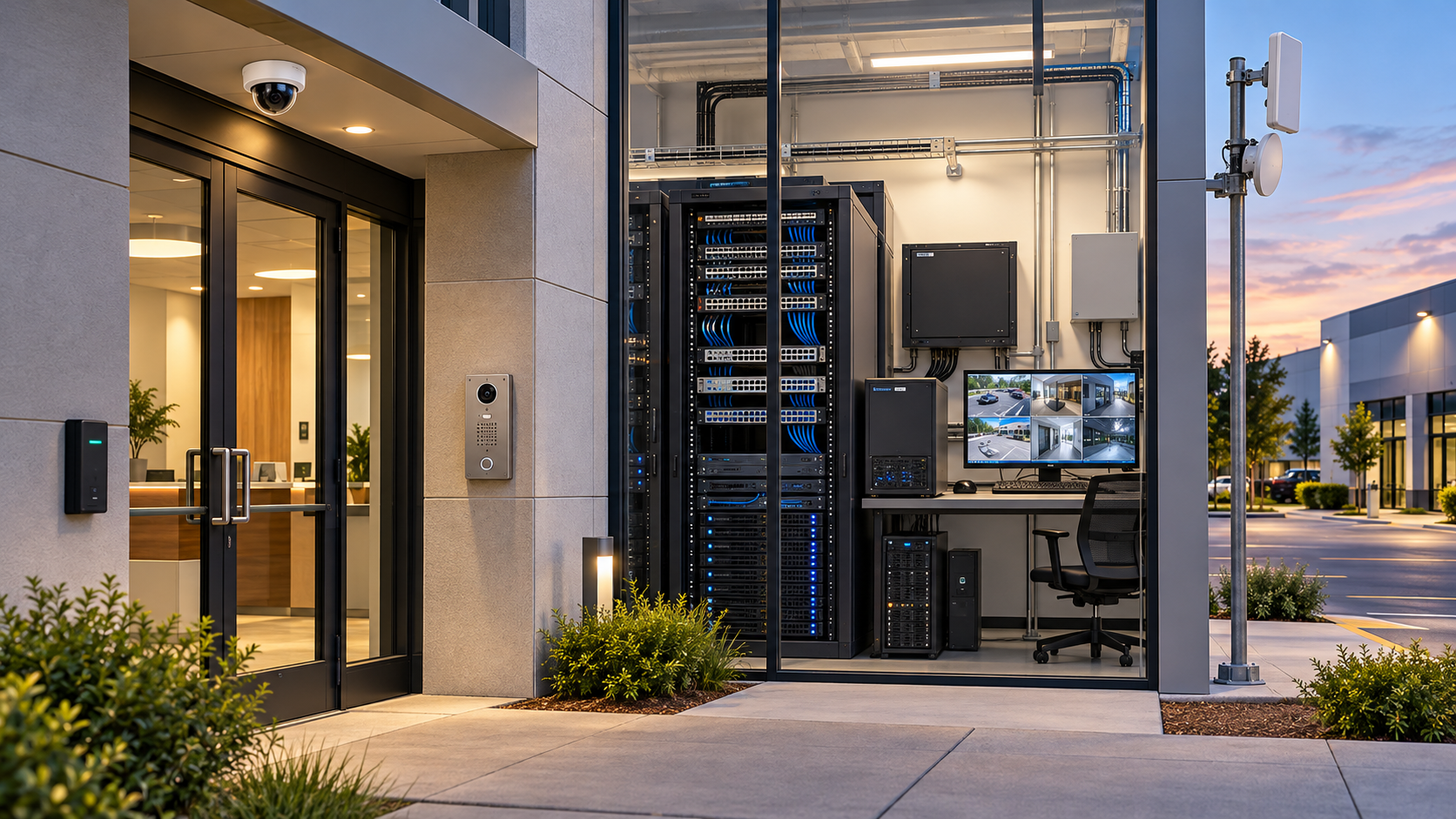
eyeOT connects to your VMS to discover cameras and check that video is actually being recorded, kept and usable.
Integrations include




eyeOT treats every IP-connected controller and panel as part of the system, so an offline door is caught before someone reports it.
Integrations include
 Any IP-connected controller or panel
A dead gate or lobby intercom is caught by eyeOT, not by a visitor.
Integrations include
The switch is where most security outages start. eyeOT maps every port and what’s plugged into it.
Integrations include

 Cisco MerakiMikroTik
Any SNMP-capable switch is covered at network level.
Point-to-point and point-to-multipoint radios carry cameras and doors to parking lots, gates and remote buildings. eyeOT watches the link itself.
Integrations include
SikluMikroTikA failed recorder drive rarely shows up in the VMS. eyeOT reads it from the server itself.
Integrations include

 BMC
BMC
How it works
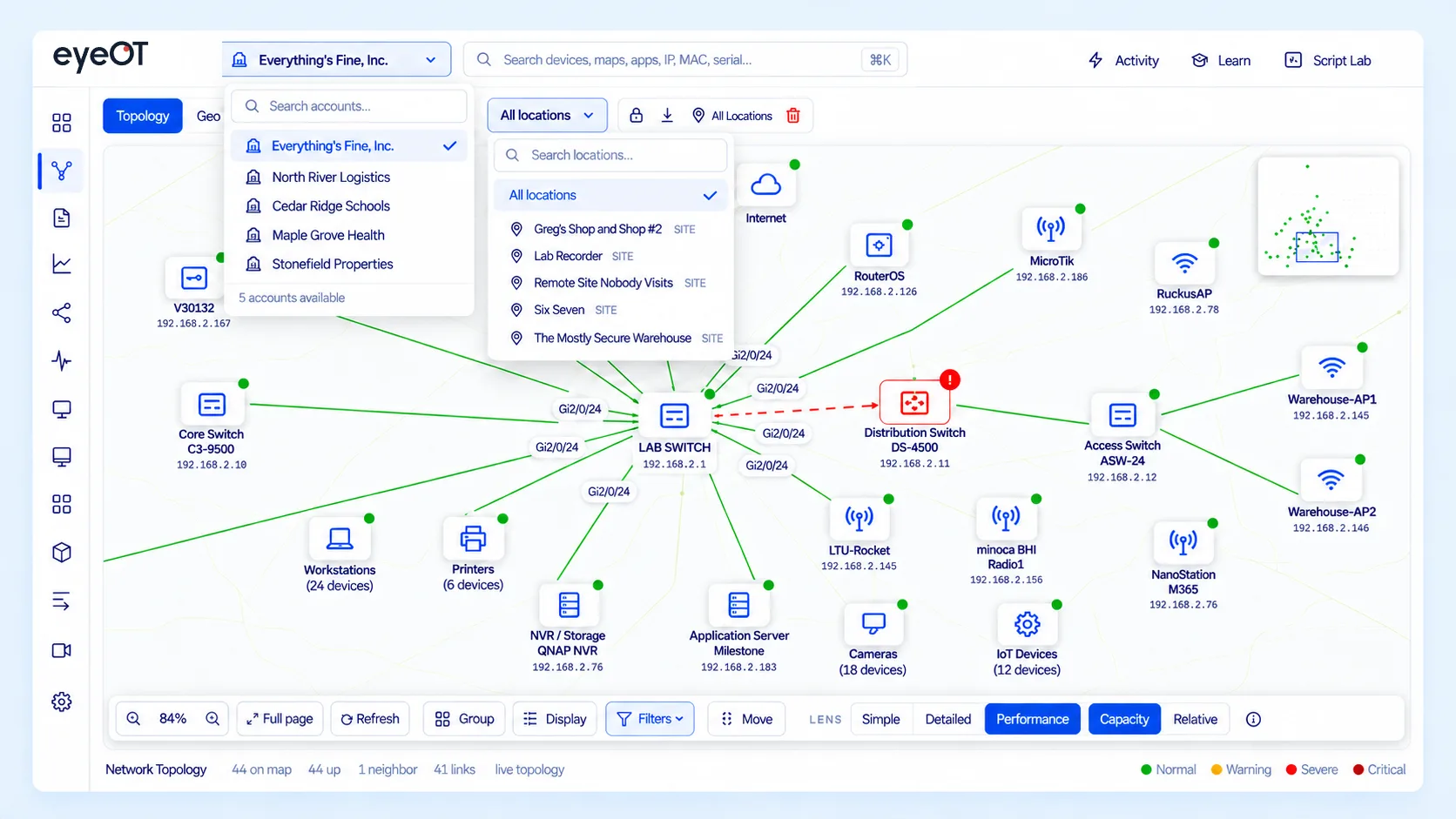
eyeOT discovers what’s on the network and in your VMS, and organizes it by site, building and entrance.
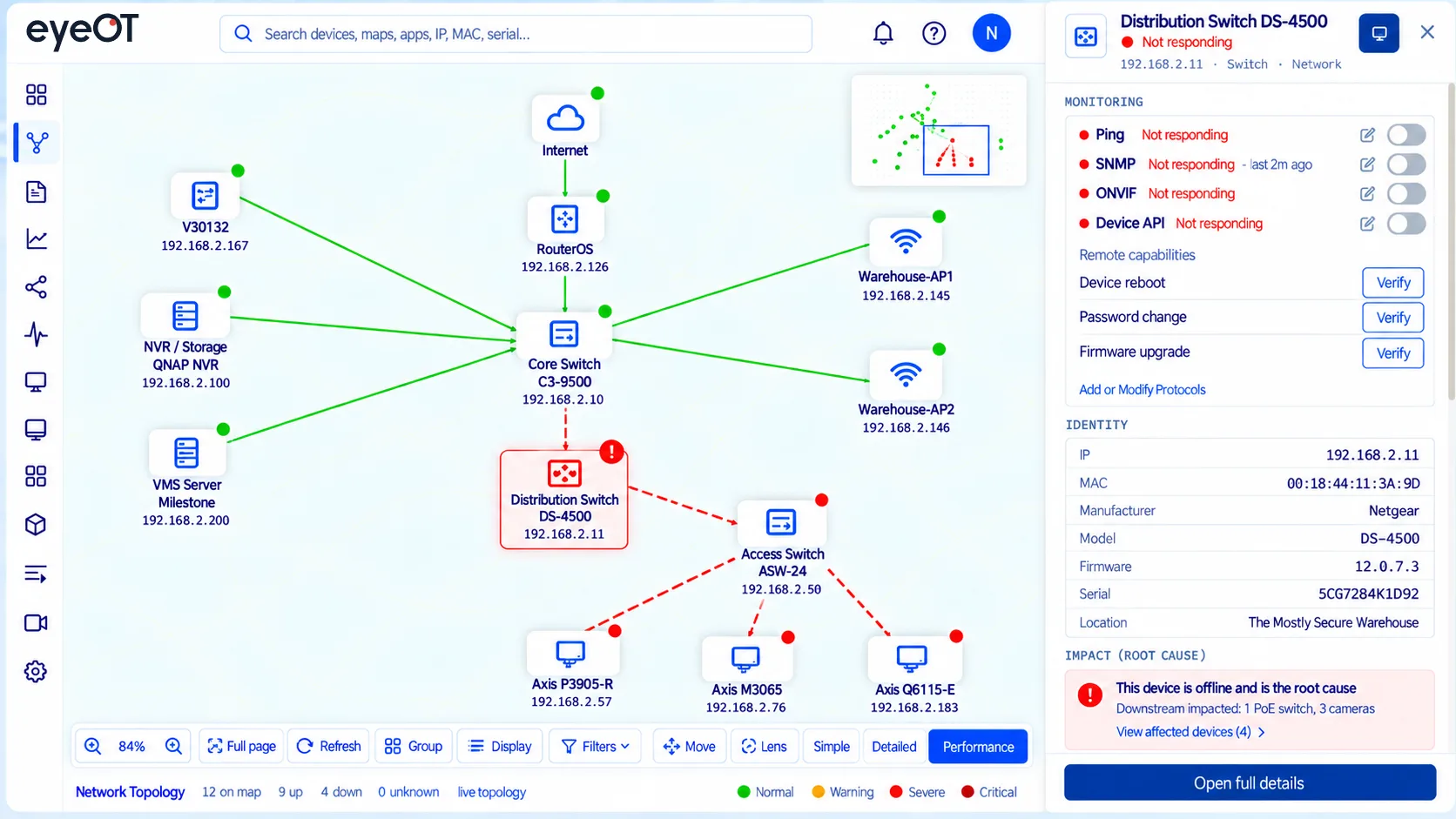
See the switch port, power and server behind every device, and what else goes down if one fails.
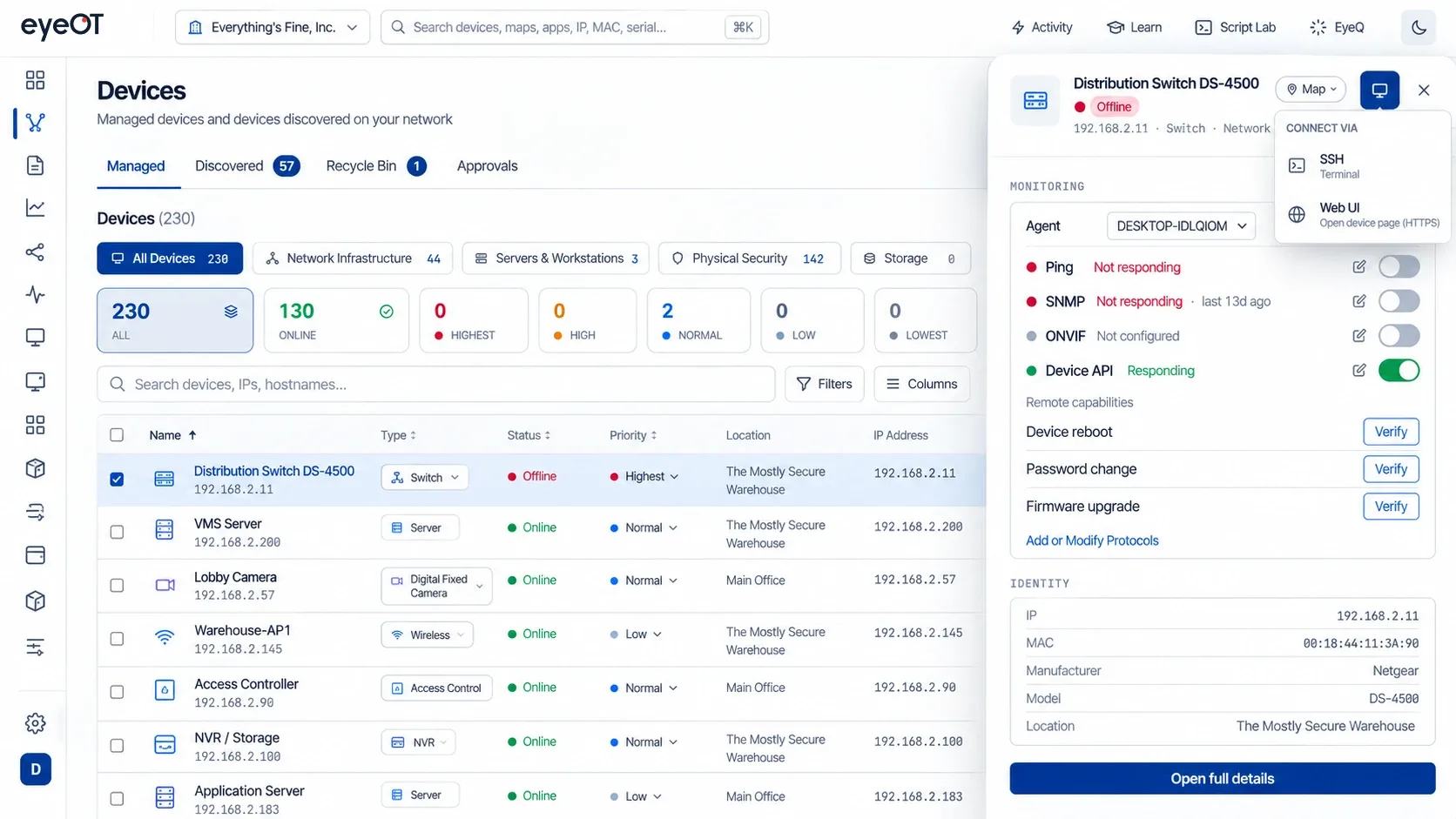
Related alerts become one incident. Bounce a port, restart a service or connect over RDP or SSH, and the ConnectWise ticket follows the incident.
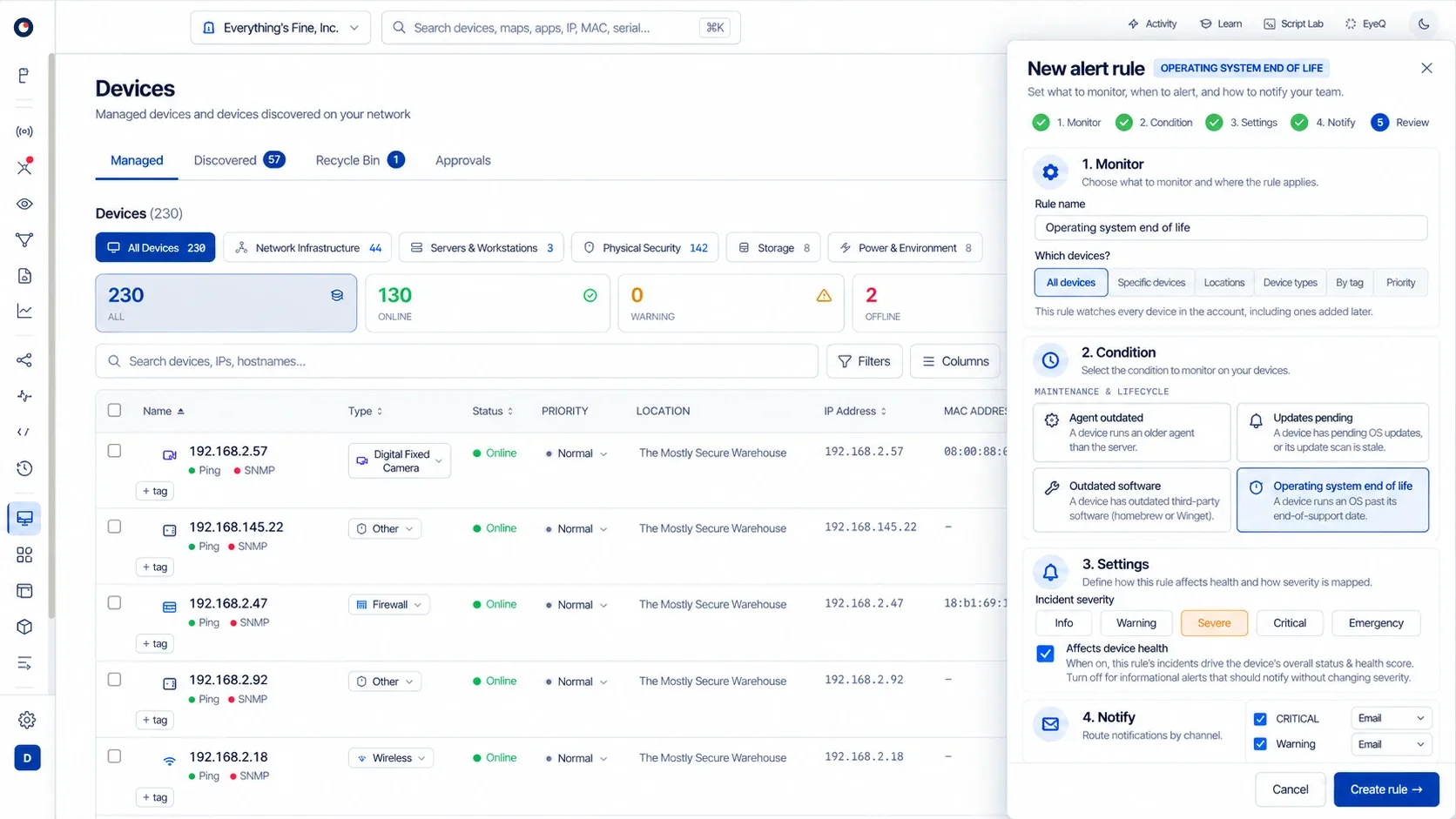
Track firmware versions, configuration backups for supported network devices and vendor end-of-life dates, so you can plan replacements from live data.
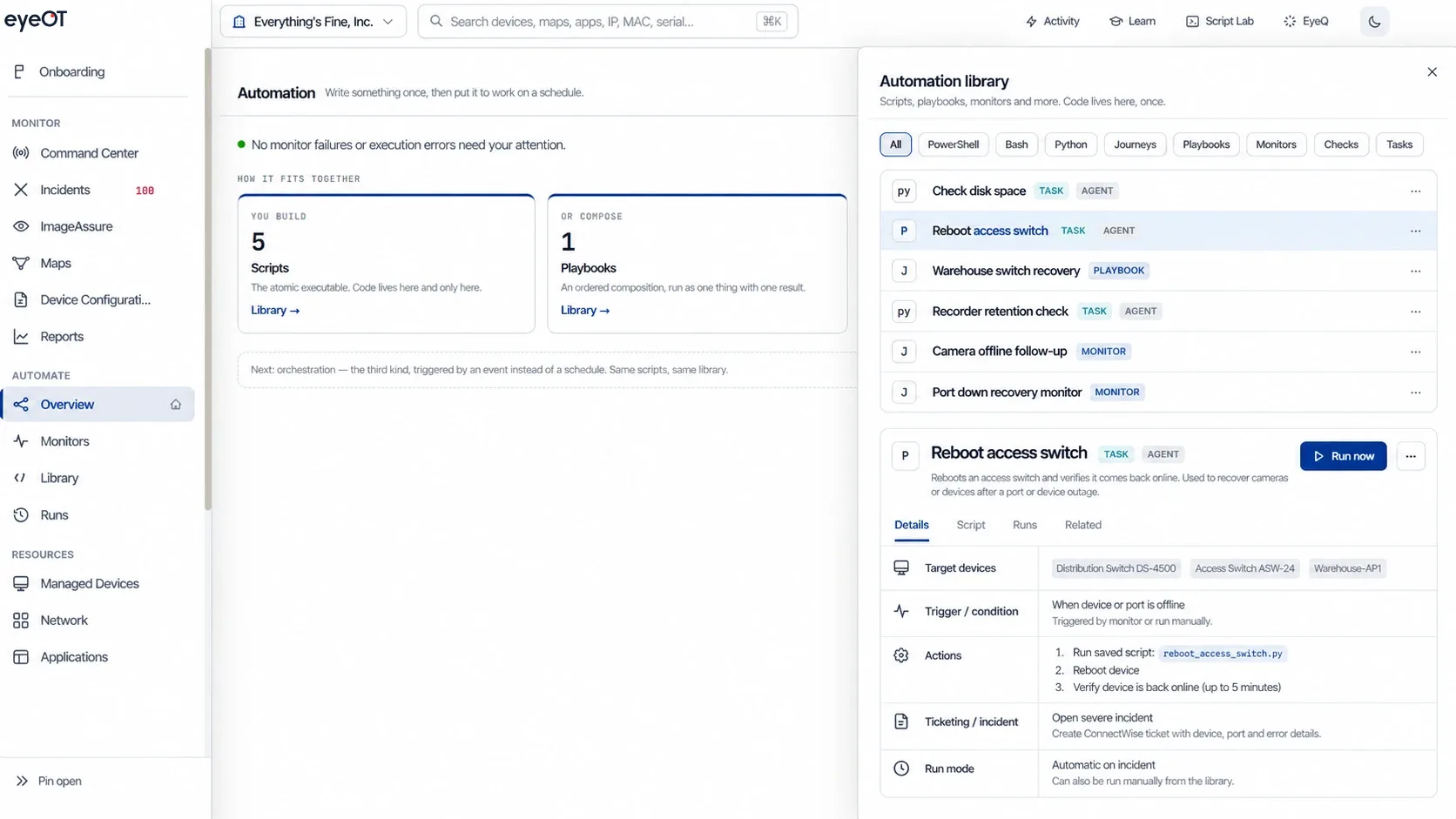
Schedule reboots and saved scripts. Set rules that run an action and open a ticket when a condition is met.
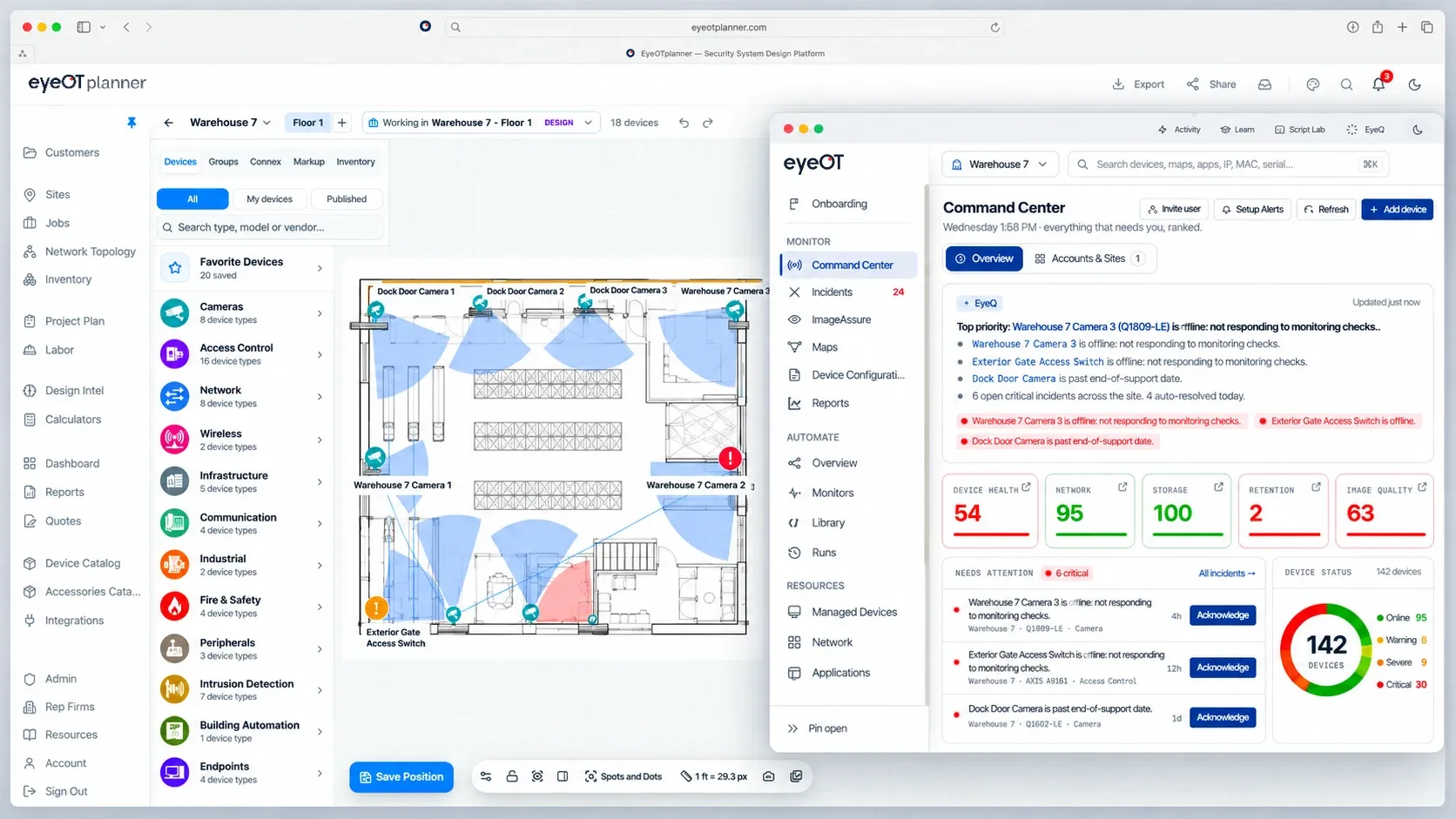
Projects designed in eyeOT planner carry their requirements, plans, device details and customer context straight into eyeOT operations, so nothing is re-entered at handoff and service teams start with the full picture.
We’ll walk through a camera image problem, a recording failure or a switch outage, showing how eyeOT identifies what’s affected, finds the cause and helps your team respond.
One incident, start to finish
See how this would play out on your sites.
Get a Custom DemoCustomer proof
What impresses me about eyeOT is it’s not just up/down status. It goes into image quality, and it’s not just cameras. It’s door controllers. It’s your storage... It has it all.

Who it’s for
Same platform. Different jobs.
FAQ
No. eyeOT discovers your devices, maps how they connect, groups alerts into incidents and lets authorized technicians fix problems remotely with port bounces, service restarts, RDP, SSH and saved scripts. eyeOT can also run saved scripts and scheduled tasks on supported systems when configured.
eyeOT has deep integrations with video management systems such as Milestone, Avigilon, Hanwha Vision, Axis and OpenEye; network equipment such as Cisco, MikroTik, Ubiquiti and Siklu; server hardware through Dell iDRAC, HPE iLO and Redfish; Life Safety Power supplies; and ConnectWise PSA. Anything else on your network is covered at network level. See Integrations for the current list.
Not yet at the software level. Today eyeOT monitors door controllers and panels as network devices: it tells you when one goes offline, shows the switch port and power it depends on, and lets a technician power-cycle PoE controllers remotely. We’re evaluating deeper access control integrations and prioritize them by customer demand.
Not today. eyeOT sees the controller or panel on the network, not the readers and locks connected behind it.
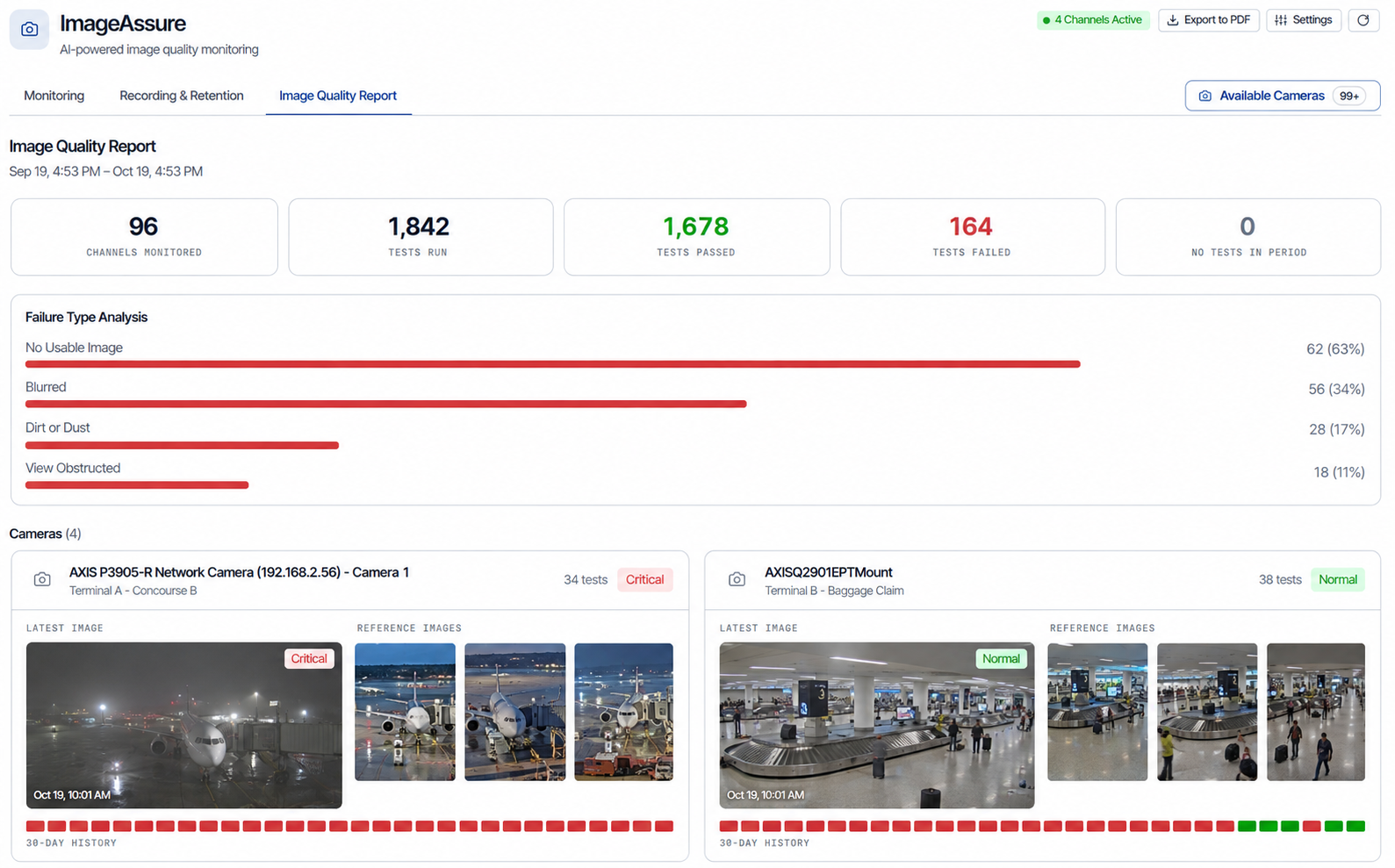
Yes. ImageAssure flags no usable image, blur, a moved camera, an obstructed view, dirt and timestamp drift, even when the camera shows green in the VMS. eyeOT also alerts when a camera stops recording or retention falls below policy.
No. eyeOT groups related alerts into one incident, so a failed switch is one problem, not a separate alert for every door, camera and intercom behind it.
Bounce ports on supported switches, reboot supported cameras, restart services, power-cycle virtual machines, connect over RDP, SSH or web, and run saved scripts. Authorized users can run these actions directly. eyeOT can also run saved scripts and scheduled tasks on supported systems when configured. The agent connects outbound, so there are no inbound firewall ports to open.
Yes. eyeOT is available in the cloud or on-premises, including for sites with no internet access. Ask us which features are available in on-premises deployments.
No. eyeOT works alongside them and manages the devices, network, power and servers they depend on.
See it on your system
Bring one site. We’ll show you every device on it, how it connects and what your team could fix remotely.
Get a Custom Demo