Make a change once. Everything updates.
No re-entering the layout, BOM, labor, quote and schedule in five tools for every revision.
eyeOT planner
eyeOT planner is the intelligent design platform for physical security. Design Intelligence checks every design against requirements and best practices, and every change updates everything that depends on it.
SW-02 · IDF 2
PoE 331 W of 370 W · 23 of 24 ports
$150,070
Margin 32% · Ready to sign
 2026 SIA NPS Award WinnerRecognized at ISC West
eyeOT planner keeps the layout, BOM, labor, quote and schedule in one project, so a customer change is made once and nothing is missed at install.
No re-entering the layout, BOM, labor, quote and schedule in five tools for every revision.
Design Intelligence flags short switch port counts, undersized servers, missed VMS licenses and forgotten mounts before the quote goes out.
Fewer RFIs, unbilled change orders and extra truck rolls coming out of profit.
Project workflow
Design Intelligence checks the work at every stage, and each stage builds on the one before. Make a change, and every part adjusts.
01 / Requirements
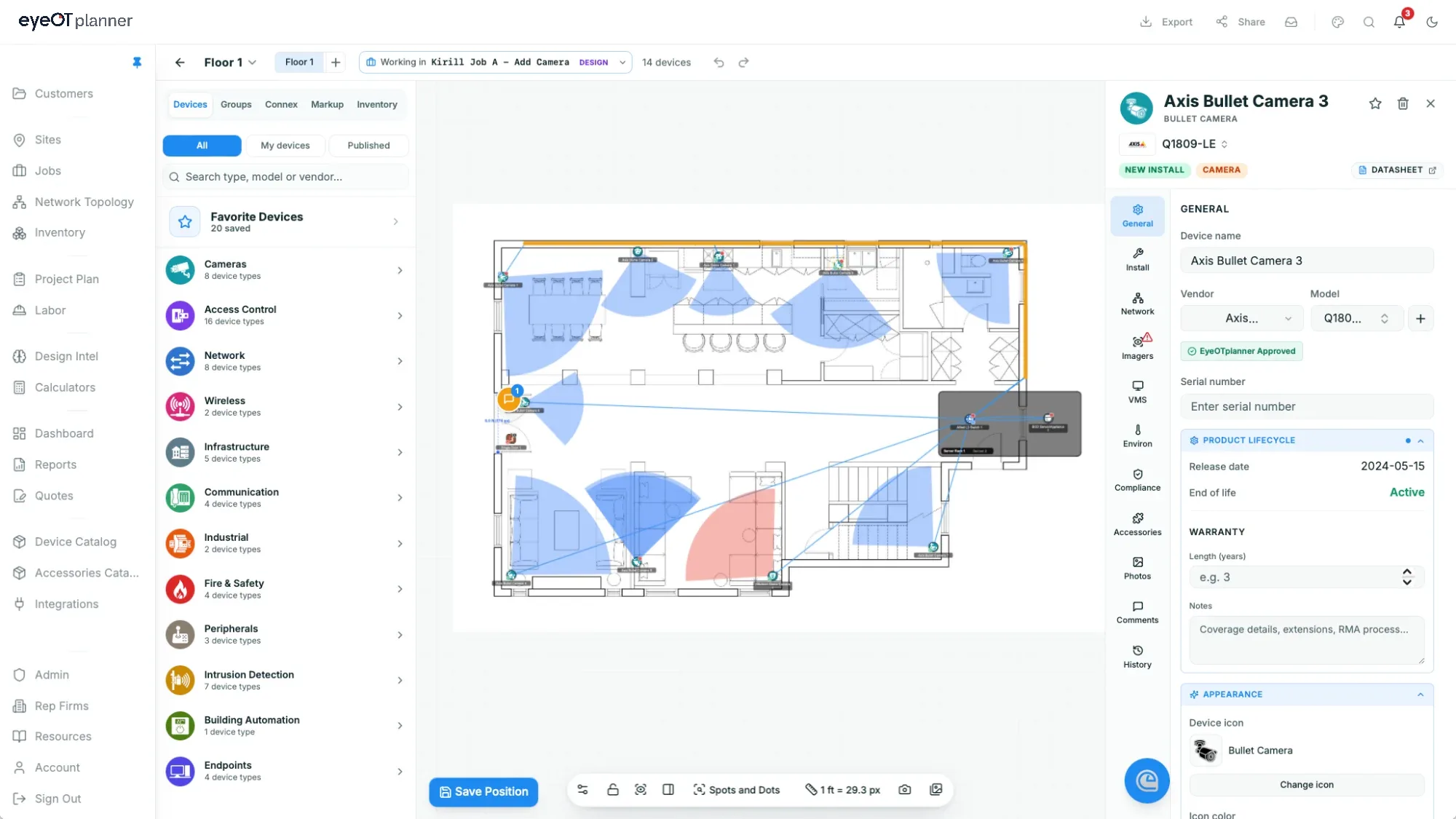
Start from a site walk, a floor plan, an address or a full RFP with Division 28 sections. eyeOT planner pulls out scope, device counts, required manufacturers and due dates, and sets up each site on a scaled floor plan or map.
02 / Design
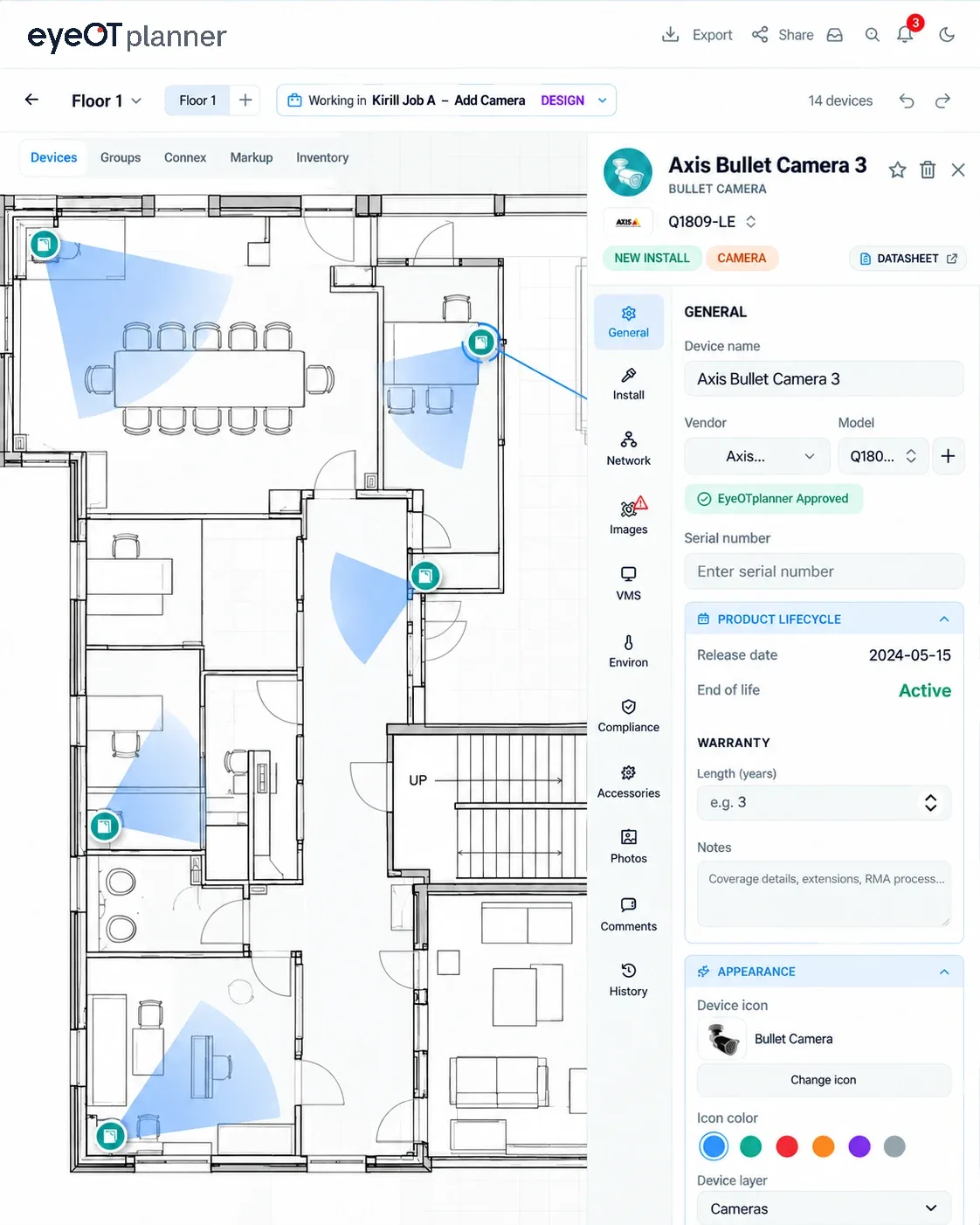
Drag devices from a catalog of thousands of real models, each with its datasheet specs. Or let the system do the spots and dots: upload a drawing, mark a device symbol once, and eyeOT planner places that device on every match.
03 / Validate
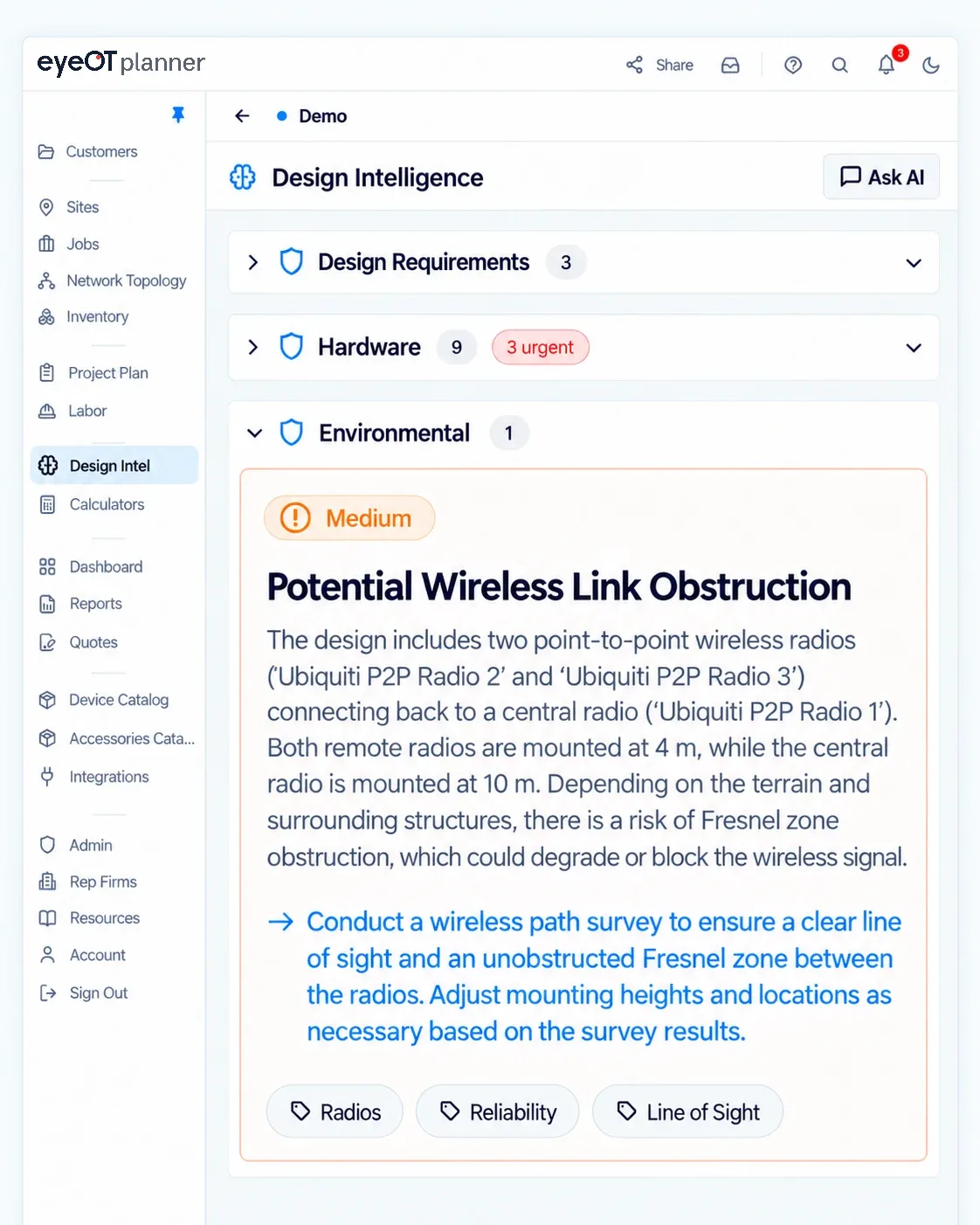
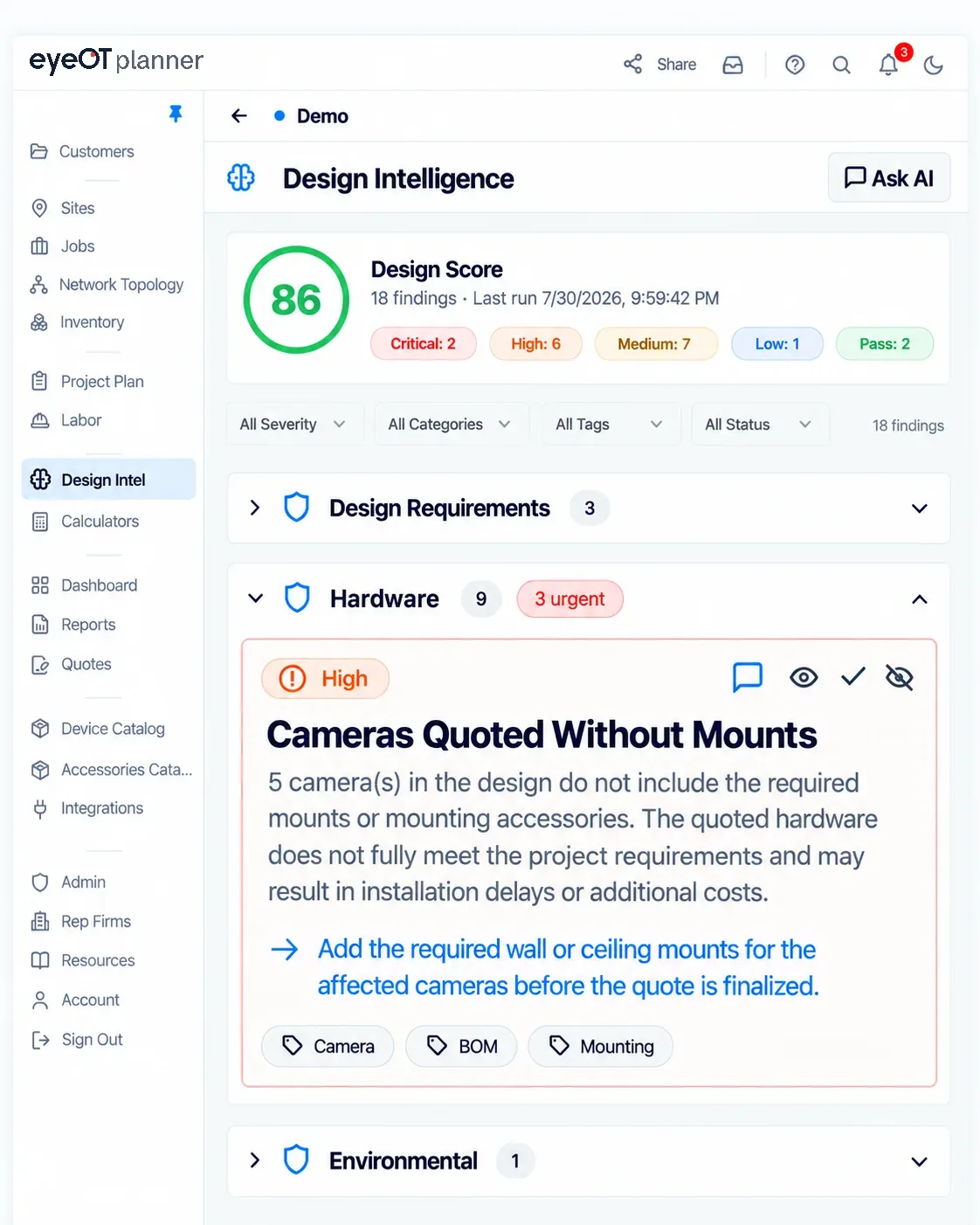
Run design checks as you work to confirm the design meets the project specification and to catch oversights, like cameras quoted without mounts, before the quote goes out.
04 / Calculations
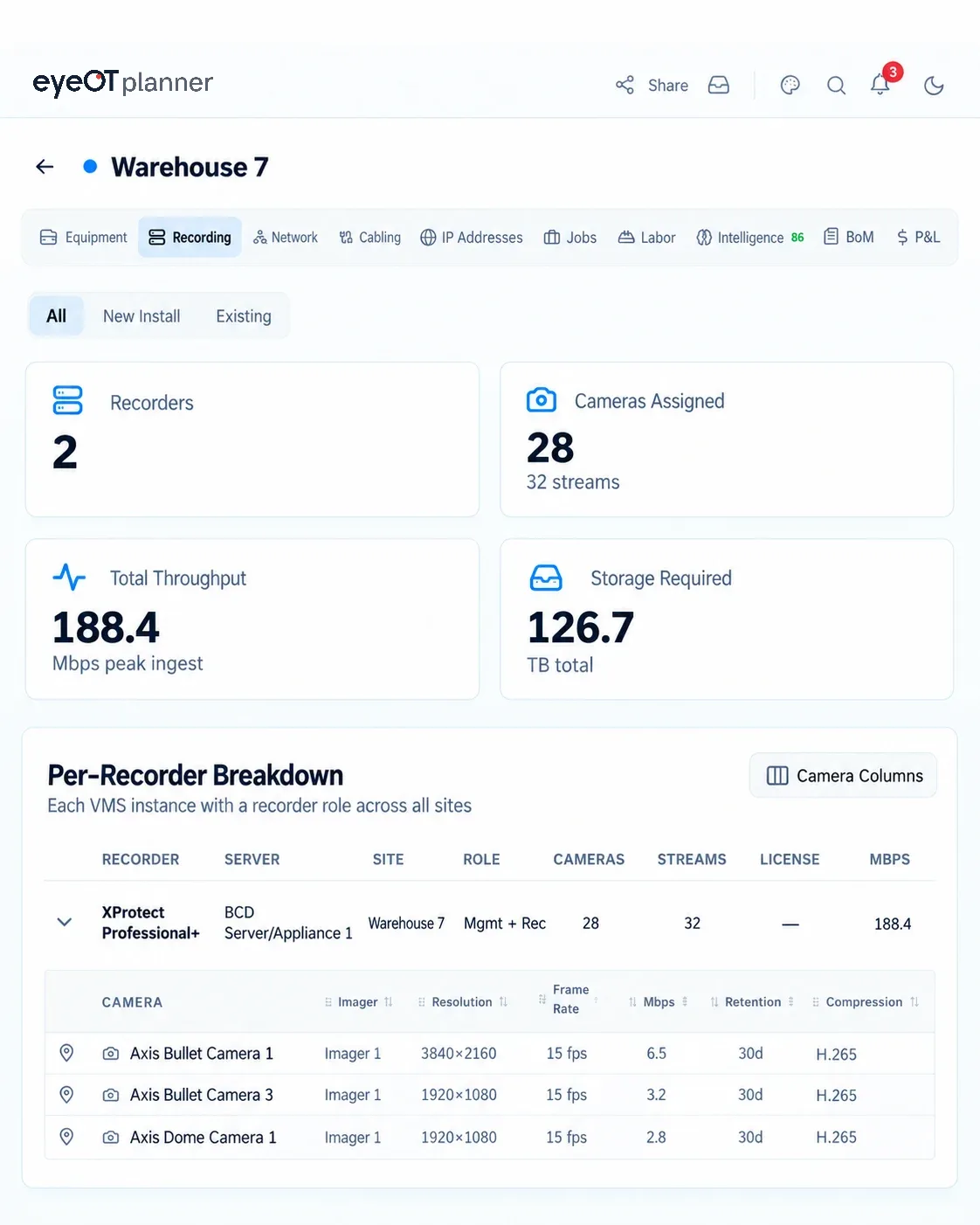
Switch ports and PoE load, bandwidth, storage by retention and RAID, VMS licenses, IP addressing and every cable run. The BOM picks up mounts and accessories, labor is priced by role, and the P&L shows margin by site.
05 / Quote
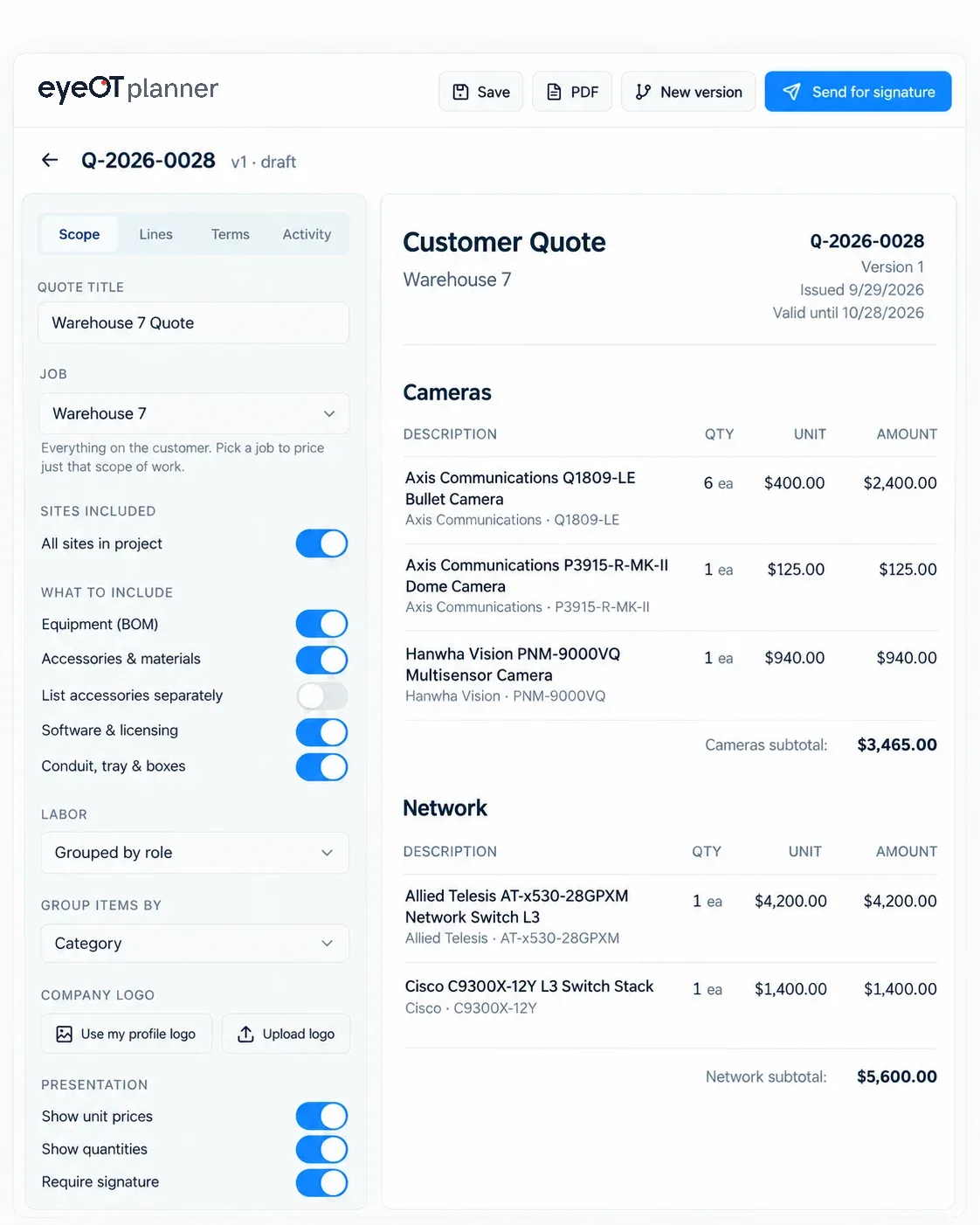
The quote, device schedules, rack elevations, topology, coverage snapshots and product data sheets go out as one branded package with e-signature. When scope changes, the quote updates and every revision is kept.
06 / Project plan
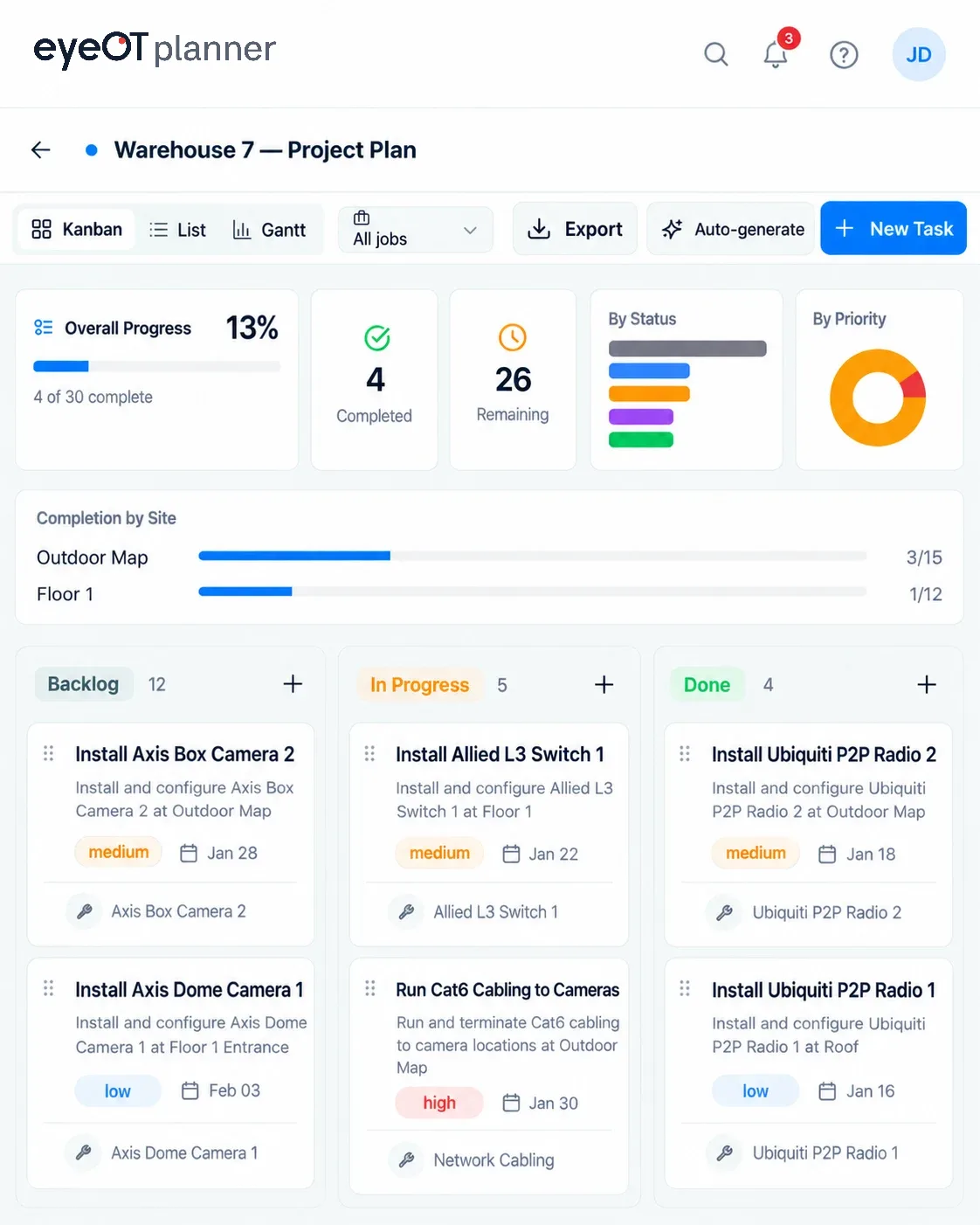
Tasks, labor and due dates build while you design, so there’s nothing to rebuild in another tool and the install plan is ready when the quote is signed. Technicians work from the approved design on iPad, online or offline, with a QR code and photos for every device.
07 / Connect
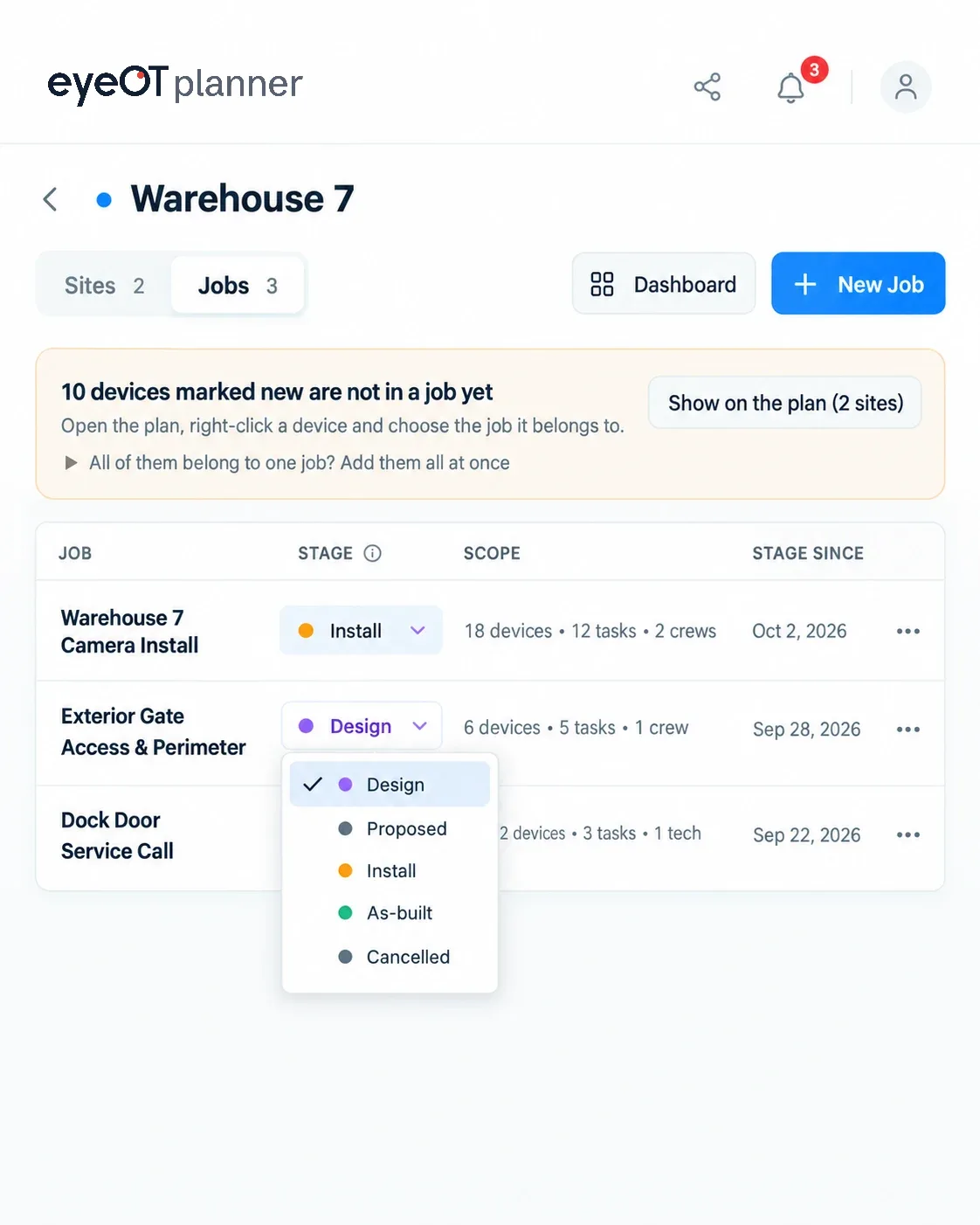
After install, the project holds what was actually put in: locations, cabling, switch ports, photos and the BOM. It carries into eyeOT for monitoring and management. Ten more cameras next year? Open a job on the existing project and quote only the ten.
Request a custom demo to see how eyeOT planner can save you time and protect your margins.
Customer story
IIS designed and quoted a 200,000 sq ft, 80+ device warehouse job in about 3.5 hours of design time. The first design review caught 13 issues before the quote went out.
When I first heard about eyeOT planner, I expected the typical drop-an-icon-on-a-PDF tool, but this is way past that.
Switching from separate tools
Spreadsheets and drawings leave the math to you. Security design platforms handle the layout, site walk and install, but don’t engineer the system or check the design.
| The work | Spreadsheets & project managementExcel, Monday, Trello | Drawings & mapsVisio, Bluebeam, Google Earth (KMZ) | Security design platforms |  |
|---|---|---|---|---|
| Know your coverage before you installPixels per foot and DORI from the camera’s sensor, resolution and lens, plus mounting height and distance | Not covered | Not covered | Covered | Calculated for each camera from its sensor, resolution, lens and mounting position, and stopped by the walls you draw |
| Automate device takeoffs with ‘Spots and Dots’Mark a drawing symbol once instead of placing every device | Not covered | Partial | Not covered | Every matching symbol on the drawing becomes a placed device |
| Network SizingSwitch port counts, available ports, PoE power budget and bandwidth | Partial | Not covered | Not covered | Calculated per switch, with a warning when ports or PoE run out |
| Size recording and storageRetention, number of drives, RAID configuration and disk write performance against incoming camera traffic | Partial | Not covered | Not covered | Calculated per recording server, including whether the disks can keep up with the write load |
| Confirm the design meets the specificationCoverage, counts, licenses and accessories checked against the project spec | Not covered | Not covered | Not covered | Design Intelligence ranks every finding by severity |
| Build a bill of materialsEvery camera, mount, license and cable run | Partial | Partial | Covered | Generated from the design, so nothing is typed in twice |
| Estimate labor by roleLow-voltage technician, systems engineer and network engineer hours and rates | Partial | Not covered | Not covered | Each device brings its labor, broken out by role and rate, so every install carries its labor cost |
| Build and send the quoteProposal the customer signs | Partial | Not covered | Partial | Built from the project and sent for e-signature, every revision kept |
| Work in the field, online or offlineSite walks and installs on a tablet without a connection | Not covered | Partial | Covered | iPad app syncs fully when you’re back online |
| Track the installTasks, photos and status for every device | Partial | Not covered | Covered | Install tasks, Kanban and Gantt, QR labels and photos per device |
| Keep one record from design through serviceNo rebuilding the site after install | Not covered | Not covered | Covered | Carries into live monitoring and management in eyeOT, and add-on jobs quote only what’s new |
| Make one change, update everythingMove or swap a camera | Not covered | Not covered | Partial | BOM, labor, quote, schedule and design checks update with it |
Typical coverage by tool category. Individual products vary.
Do the math
Enter your bids per year, hours per bid and revisions. You’ll see the hours eyeOT planner gives back each year, what that time is worth and how many more bids your team could take on.
Estimated each year
An estimate, not a guarantee. Your results depend on project size, revisions and how your team works today.
See how easy it is to ensure all specs are met with a customized demo
eyeOT planner pricing
Every plan includes the full device catalog, PPF and DORI analysis, and bandwidth and storage planning. Billed per user, monthly or yearly.
Prices in USD
Small teams
Design, validate and quote small to mid-size projects.
$35per user / month
250 devices per project
Get a Custom DemoIncludes
Most popular
Growing integrators
The full design-to-install workflow. Most integrators choose Pro.
$65per user / month
500 devices per project
Get a Custom DemoEverything in Express, plus
Multi-site teams
For large, multi-site systems with field crews.
$95per user / month
Unlimited devices per project
Get a Custom DemoEverything in Pro, plus
Large integrators
For large integrators, distributors and enterprise security teams.
Custompricing
Unlimited devices per project
Talk to salesEverything in Expert, plus
| Feature | Express | Pro | Expert |
|---|---|---|---|
| Limits | |||
| Price per user, per month (monthly) | $35 | $65 | $95 |
| Price per user, per month (yearly) | $32 | $59 | $86 |
| Devices per project | 250 | 500 | Unlimited |
| Projects | Unlimited | Unlimited | Unlimited |
| Sites per project | Unlimited | Unlimited | Unlimited |
| Design | |||
| Site maps, floor plans and camera cones | |||
| Full device catalog and AI datasheet lookup | |||
| Lens, PPF and DORI analyzer | |||
| Line-of-sight and wall-masking tools | |||
| 3D building and site views | |||
| Rack Designer | |||
| 3D scan site imports (LiDAR, photogrammetry) | |||
| Validate | |||
| Bandwidth, storage and VMS recording planner | |||
| Design Intelligence review | 2 runs per project | Unlimited | Unlimited |
| EyeQ AI chat assistant | Plus Ask AI | Plus saved history | |
| Quote and deliver | |||
| KMZ export for Google Earth | |||
| Branded PDF reports | |||
| Client sharing and comments | |||
| Team collaboration | |||
| Project plan with Kanban and Gantt | |||
| Jobs: add-on and service work on installed projects | |||
| Support | |||
| Email support | Priority | Priority | |
Privacy
Floor plans, camera locations and IP addressing for data centers, warehouses and critical sites stay private to your company.
 SOC 2 Type IIIndependently audited security controls, covering how customer data is stored, accessed and protected.
Works with the systems you already design
Check the device catalog and the tools eyeOT planner sends your work to.
FAQ
eyeOT planner is software for designing physical security systems. Cameras, doors and other devices are placed on the floor plan, and eyeOT planner checks the design against project, hardware and environmental requirements. It builds the BOM, labor estimate, project plan and quote from the design and updates them automatically whenever a device is moved, added or swapped.
End-to-end physical security systems: IP cameras, access control and door hardware, intercoms, intrusion detection, VMS and recording servers, network switches, point-to-point wireless, storage, UPS, and the racks, conduit and cabling that connect them. A project can be a single building or a multi-site rollout.
Field of view and DORI bands (IEC 62676-4) come from the actual lens and sensor specs, use slant distance, respect mount height and tilt, and stop at walls you draw. Each camera’s bitrate feeds a running total per switch and per recording server, and storage sizing accounts for retention days, codec, resolution and RAID. If a switch is oversubscribed or a server can’t hold the retention, a warning appears on the design.
It checks the design against the project requirements, whether they come from an RFP, a spec or your own site walk, and against best practice: PPF below the required DORI level, coverage gaps, switches out of ports or PoE budget, copper runs over 100 m, servers that can’t hold the retention, non-redundant storage, end-of-life hardware, missing NTP and missing devices. Findings are ranked by severity. Upload a contractor submittal or a competing bid, and it compares those too.
Yes. Upload the drawing, mark one symbol and choose the device it represents. eyeOT planner finds every matching symbol on the sheet, places that device on each one and counts them, so the spots and dots and the takeoff are done in one step. Coverage, BOM and labor update automatically.
No. Many integrator projects are design-build with no consultant and no spec. Start from your site-walk notes and photos, a floor plan or the address, and eyeOT planner tracks your own design criteria as the requirements. If there is an RFP or Division 28 spec, upload it and the design is checked against it.
Yes. Presales design, estimating and quoting happen in the project, and when the quote is signed the same project becomes the install plan, with tasks, devices, labor and the approved quantities. Roles and per-project permissions control who can edit the design and who works the install.
No. Import architectural backgrounds as PDF or image files and design on them, then issue coverage studies, device schedules, calculations and submittal packages as PDF alongside your construction documents, or push them to Bluebeam Studio for markup.
Branded PDF reports and submittal packages, BOM and quote exports, Bluebeam Studio, Power Automate to ERP, CRM or Microsoft Teams, and read-only share links for customers and subcontractors.
Yes. The iPad app works offline and syncs when you’re back online, and technicians scan a device’s QR code to open its record and attach photos. After install, open a job on the existing project (Expert plan) to quote and install add-ons without rebuilding it.
Book a custom demo. The setup wizard walks you through your first project from an address, a floor plan, site-walk notes or an RFP.
Your next bid
Get a personalized walkthrough of the full workflow, from system design and quoting to installation and as-built documentation.